
 law firm it services
Managed IT services for law firms in Los Angeles
Your clients trust you to protect their information. We help make sure your technology supports that responsibility.
IT built around client confidentiality, deadline pressure, and zero tolerance for downtime.



"Having Xentric Solutions as part of our team in our law firm has been nothing but an incredible experience! They have taken care of all our IT needs for years now, including our phone systems. We have so much peace of mind knowing that we can reach out to them whenever we have slight hiccups with our systems. Their team is extremely knowledgeable and professional. I recommend them to anyone 100 percent."Talia NicoghosianKCNS Law Group, LLP

Your law firm may already run on legal software. That does not mean your technology is managed.
Xentric Solutions has supported Los Angeles law firms since 2014 - our very first client was a law firm, and they are still with us today. We provide helpdesk support, cybersecurity, backup and disaster recovery, Microsoft 365 management, secure remote access, business phones, and vendor coordination for firms that cannot afford avoidable downtime or a confidentiality slip.
the problem
Most law firm IT problems start quietly
The firms that come to us tend to share a familiar pattern. Their previous provider was technically available, but only showed up when something broke. Nobody was watching systems day to day, tracking hardware age, or flagging problems before they escalated. There were no regular check-ins, no reporting, no one asking what was coming next.
The problems were accumulating invisibly. A backup that hadn't been tested in months. Aging workstations with no replacement plan. Remote access held together by workarounds. Security settings that varied from machine to machine because nobody had standardized them. When something finally went wrong - a hack, a data loss, a failure right before a deadline - there was nothing to fall back on.
The most common thing we hear from new clients is some version of: we thought we were fine. They didn't know what they didn't have until they needed it.
It feels handled
The gaps are easy to miss
Too late is a bad time to find out
confidentiality and competence
Law firms cannot treat IT like a generic office utility
Law involves document-heavy work, tight deadlines, and a constant movement of sensitive client information. That creates specific requirements a general IT provider often isn't thinking about.
Under California Rule of Professional Conduct 1.6, attorneys are required to protect confidential client information. In practical terms, that responsibility now touches email, cloud storage, remote access, document sharing, and every device your attorneys and staff use.
California Rule 1.1 also recognizes that competence includes keeping current with changes in law and practice, including the benefits and risks of relevant technology. That does not mean every attorney needs to become an IT expert - it means your firm needs technology decisions, security controls, and support processes built around what that responsibility actually requires.
Beyond the professional obligations, there is the practical reality: your reputation is built on trust. A hacked email account, a leaked document, or a ransomware event can damage a client relationship that took years to build. The size of your firm doesn't change how a breach looks from the outside.
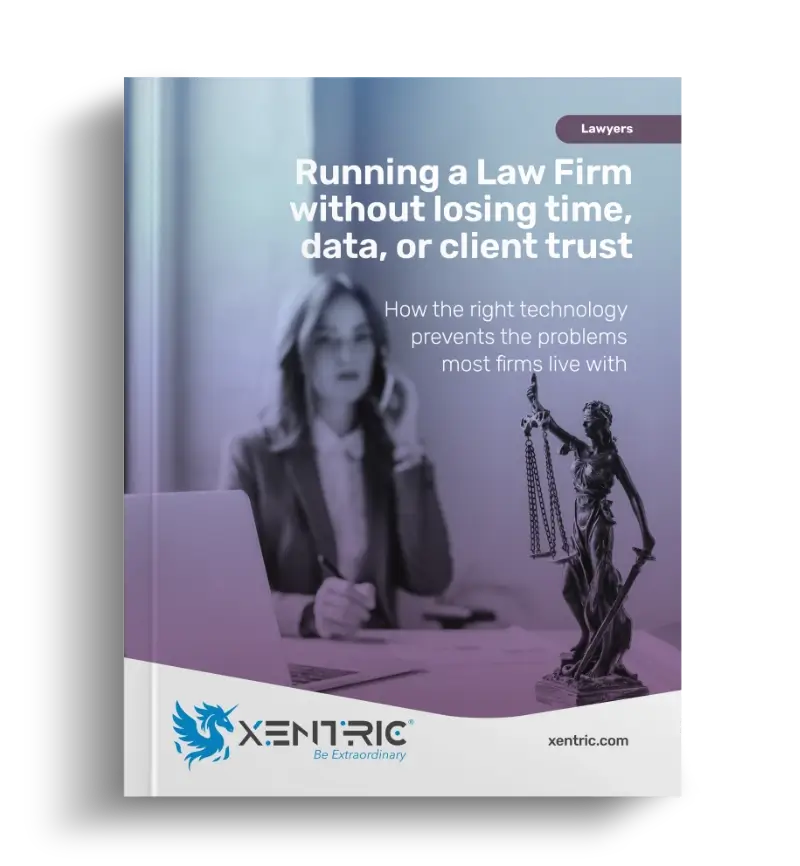
Want a clearer picture of what law firm IT should actually cover?
Download our guide, Running a Law Firm Without Losing Time, Data, or Client Trust, and learn how the right technology helps prevent the issues most firms live with every day.
Your legal software may run a big part of your firm.
But your firm does not run on software alone.
Your legal software vendor usually supports:
- Issues inside their platform
- Software-specific settings
- Their application uptime and support
- Product documentation or platform training
Xentric manages and supports:
- Computers, devices, users, and access
- Microsoft 365, email, Teams, SharePoint, and OneDrive
- Backup, recovery, security, and remote access
- Vendor coordination and technology planning
- The technology environment that software depends on
What it looks like when IT is working the way it should
When IT is properly managed, your firm gains:
Secure access from anywhere
Attorneys reach files, email, and legal software without risky workarounds.
Faster support
Staff know where to go and get clear answers without waiting days.
Cleaner permissions
People see what they need, and former employees are fully offboarded.
Tested backups
A ransomware event or hardware failure becomes recoverable, not catastrophic.
Planned hardware replacement
Equipment is replaced on a schedule instead of during a crisis.
Consistent security
Every user and device follows the same protection standards.
Easier growth
New attorneys, new offices, and major changes are managed without rebuilding from scratch.
None of this is exotic. It is what competent, proactive IT management should produce.
the case management gap
Your legal software is not your IT department
We work alongside the platforms your firm uses - tools like Clio, NetDocuments, MyCase, and others. Clio may manage your cases. NetDocuments may manage your documents. MyCase may help organize matters, billing, and client communication. But those platforms do not manage the full technology environment your firm depends on every day - the computers, the Microsoft 365 configuration, the backups, the email security, the user accounts, or the offboarding when someone leaves.
Xentric manages the technology around your legal software, coordinates with vendors when needed, and helps make sure the systems your firm relies on are supported, secured, documented, and planned.
what we offer
How we support your firm
Your firm does not need a pile of disconnected tools. It needs a managed technology environment where support, security, backup, access, communication, and planning work together.
Helpdesk and employee support
When something is not working, your attorneys and staff can reach us directly and get timely support without technical runaround.
Workstation, server, and network management
We monitor, maintain, and update the equipment your firm runs on so aging hardware and slipping performance get flagged before they become a crisis.
Microsoft 365 and email management
Licensing, configuration, email security, Teams, SharePoint, OneDrive, user accounts, and the security settings many firms leave at defaults.
Cybersecurity and access protection
Layered controls including MFA, endpoint protection, DNS filtering, email security, and monitoring to help protect accounts, devices, and data.
Backup and disaster recovery
We monitor backups, test recovery, and help your firm think through how much downtime or data loss it can realistically tolerate.
Secure remote access
Attorneys need to work from home, court, and client locations. We help make that possible without shared passwords or risky shortcuts.
Legal software and vendor coordination
We work alongside the platforms your firm already uses - tools like Clio, NetDocuments, MyCase, and others - and coordinate with vendors when issues overlap.
Secure document sharing and client portals
We help firms move away from emailing sensitive documents toward client portals, approved cloud systems, and controlled file-sharing tools.
Business phones (Xennect VoIP)
Managed VoIP business phone service with call routing, mobile app access, and ongoing support.
Lifecycle planning and IT reviews
We track your hardware, review your setup, and help plan technology decisions around your firm’s direction.
the human factor
Your security is only as strong as the people using it
One of the most common entry points for an attack on a law firm is not a sophisticated exploit. It is an email that looks legitimate until it isn't.
Phishing emails arrive disguised as client messages, document links, court notifications, or wire transfer instructions. They are designed to create urgency and get someone to click or respond before thinking. A paralegal who opens the wrong attachment or an attorney who replies to a spoofed email can create a serious problem in seconds.
Wire fraud is a particular concern for firms that handle real estate transactions or client funds. Attackers monitor email threads, learn the language of a deal, and inject convincing messages at exactly the right moment - redirecting payments to accounts the firm never authorized.
Solid technical controls reduce your exposure. MFA, email filtering, and DNS protection catch a lot. But the last line of defense is often the person in front of the screen. We include structured cybersecurity awareness training as part of our work with law firms, because a trained employee is one of the most cost-effective security investments you can make.


Law firms tend to choose most professional relationships through trust and reputation
None of our law firm clients found us through an ad. They found us because another attorney told them about us.
That matters in the legal community. Word travels. Firms that have worked with us for years recommend us to colleagues, and those colleagues become long-term clients. We take that seriously. It is a harder standard to meet than a good review, and it keeps us accountable in a way that transactional IT relationships don't.
We have been working with Los Angeles law firms since 2014. We are local, which means when something needs hands-on attention, we can be there. We understand what it means to run a small or mid-sized firm - the pace of it, the client relationships at stake, and the fact that a three-person practice cannot absorb a week of IT chaos.
You work with a consistent team that gets to know your firm, your systems, and your expectations over time. You will not be re-explaining your setup to a new technician every time you call.
what law firms say
Los Angeles law firms trust Xentric
"Having Xentric Solutions as part of our team in our law firm has been nothing but an incredible experience!"
"Arthur and the team at Xentric Solutions respond quickly when an IT concern arises and get it resolved"

"Xentric Solutions has been handling our IT needs for years. They are extremely helpful, responsive, professional"

"One million percent recommend Xentric Solutions! They know their stuff, work hard to provide the best customer service"

"As a small business owner, I am impressed with the competitive prices, excellent professional service, and quick turn-around"

"Xentric Solutions is always there when I need them. Amazing customer service, easy to get a hold of"

"Extremely knowledgeable in the field of cybersecurity for small businesses. They provide outstanding information and services"

"We are so pleased and thankful for the outstanding service Arthur & his team have provided us since day 1"

"Super personalized experience. Communication was quick, easy, and to the point. As soon as I told Xentric my needs"

Start with a conversation
"Super personalized experience. Communication was quick, easy, and to the point. As soon as I told Xentric my needs, they sent me the best options."
faq
Frequently Asked Questions about law firm IT services
If you are evaluating IT support for your law firm, a few practical questions usually come up around confidentiality, compliance, and how the relationship works. Here are some of the most common ones.
If your IT situation ever requires you to think about IT, something is off.
Your job is to practice law. Our job is to make sure technology supports that without getting in the way.
15 minutes. No sales pitch. Just clarity.