Skip to content

Managed IT services for medical practices in Los Angeles

Reliable systems, secure patient data, and practical IT support for busy practices that cannot afford preventable disruption.

I manage IT for a multi-location health care provider, so it's hard for me to oversee each location in real-time. Xentric Solutions has been a savior for me and my company. They provide support whenever we need and are always looking out for our best interests. Thank you Xentric Solutions!
Managed IT Customer
Arthur Oganesyan
All For Health, Health For All, Inc.

Xentric Solutions provides managed IT services for medical practices in Los Angeles. We help private practices manage day-to-day support, cybersecurity, HIPAA-related technical safeguards, Microsoft 365, backup and disaster recovery, secure access, business phones, vendor coordination, and strategic IT planning. Our goal is to make technology more reliable, more secure, and easier for your team to work with, so your practice can stay focused on patient care.

Most medical practice IT problems start quietly

The practices that come to us tend to share a familiar pattern. Their previous provider was technically available, but only showed up when something broke. Nobody was watching systems day to day, tracking hardware age, or flagging problems before they escalated. There were no regular check-ins, no reporting, and no one asking what was coming next.

The problems were accumulating invisibly. A backup that had not been tested in months. Aging workstations with no replacement plan. Staff jumping between shared computers with no consistent access controls. Remote desktop sessions that crashed constantly. Nobody was managing the printers, nobody owned the cybersecurity insurance questionnaire, and nobody had mapped out how the EMR tied into the rest of the technology.

When something finally went wrong, there was nothing to fall back on.

The most common thing we hear from new clients is some version of: we were too busy to focus on it. Compliance felt like a distant problem until it was not. The technology felt manageable until it was not.

It feels handled

The gaps stay hidden

Problems surface late

Medical practices cannot treat IT like a generic office utility
A medical practice has specific technology requirements that a general IT provider is often not thinking about.

Under HIPAA, your practice is required to implement technical, physical, and administrative safeguards to protect electronic protected health information. In practical terms, that responsibility touches every device, every login, every email, every backup, and every vendor you share data with. An audit, a breach, or a routine cybersecurity insurance questionnaire can expose gaps you did not know existed.

Your EMR, practice management software, and billing systems each have their own technical requirements. They interact with the rest of your technology in ways a generalist IT provider may not understand. Your staff moves fast, works across multiple computers, and does not have time to think about IT. They need it to just work.

Beyond compliance, there is the practical reality: a ransomware attack or extended outage in a medical practice does not just cost money. It delays patient care. The stakes are different from most businesses.
Simplifying HIPAA

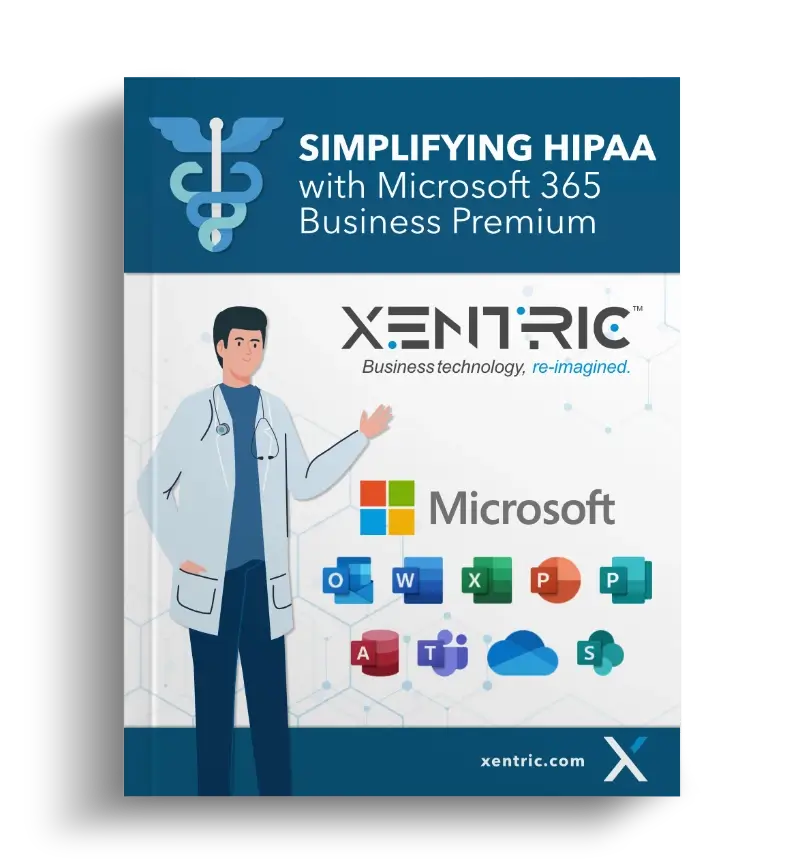
Want a clearer picture of what HIPAA-related technology safeguards can look like in Microsoft 365?

Download our guide, Simplifying HIPAA with Microsoft 365 Business Premium, and see how the right configuration can help support secure access, encryption, device management, logging, and data protection controls that medical practices often struggle to manage.

What it looks like when IT is working the way it should

When this means in practice:

Fewer downtime surprises

Monitoring, maintenance, and failover reduce avoidable interruptions before they reach your front desk.

Secure access for staff

Employees can work from approved devices and accounts without risky shortcuts, even across multiple workstations.

HIPAA-related controls you can document

Access, encryption, logging, device management, and backup practices are configured, maintained, and reviewable.

Better vendor coordination

EMR, billing, phone, copier, and internet vendors are managed as part of the full environment.

Printers and scanners that work

Imaging and document workflows are treated as operationally important, not side issues.

Tested backups

A ransomware event or hardware failure becomes recoverable, not catastrophic.

Easier expansio

New providers, locations, and part-time spaces are planned instead of improvised.

Clearer technology decisions

Hardware, security, and software changes are reviewed before they become urgent.

 
None of this is exotic. It is what competent, proactive IT management should produce.

Some of the ways we support medical practices

Helpdesk and employee support

When something is not working, your staff can reach us directly. Fast response, plain language, no tech jargon. No one at your practice should be playing IT.

Workstation, server, and network management

We monitor, maintain, and update the equipment your practice runs on. When something needs to change, you hear about it before it becomes a problem.

Microsoft 365 and secure email management

We configure and manage your M365 environment, including encrypted email, Teams, SharePoint, and OneDrive, along with the security settings most practices leave at defaults.

Cybersecurity and access protection

Multi-factor authentication, endpoint protection, DNS filtering, and structured cybersecurity awareness training. Layered controls that work together rather than leaving gaps between them.

Backup and disaster recovery

Daily backups, tested regularly, with both onsite and offsite copies. We verify it works and help you understand how much downtime and data loss your practice can realistically tolerate.

HIPAA-related technical safeguards

We implement and manage the access controls, encryption, device management, automated logoff, audit logging, and data loss prevention your practice is expected to have. We also assist with risk assessments and fill out cybersecurity insurance questionnaires for our clients as part of the relationship.

EMR and vendor coordination

We work alongside whatever your practice uses. We coordinate with EMR and practice management vendors, support the surrounding IT environment, and make sure those systems fit cleanly into your broader workflow.

Printers, scanners, and imaging devices

We manage your networked printers and copiers, make recommendations based on your actual usage, and coordinate with vendors when hardware issues arise.

Business phones, internet failover, and location support

Our Xennect VoIP service provides cloud-based call management, mobile access, and professional phone handling. We also provide internet failover so a carrier outage does not bring your practice to a stop. When you open a new or part-time location, we build the infrastructure to support it rather than starting from scratch.

Your staff is your biggest cybersecurity variable

In a medical practice, the front desk moves fast. Patient messages, insurance requests, lab communications, referrals, attachments, and scheduling updates all create opportunities for someone to click too quickly.

That is why technical controls and staff training have to work together. MFA, email filtering, endpoint protection, and DNS protection reduce risk, but the last line of defense is often the person in front of the screen. We include structured cybersecurity awareness training because a trained employee is one of the most cost-effective ways to reduce avoidable security incidents.

IT Engineering
Arthur Protecting

Trust matters when someone supports your practice

We are a local IT provider that has worked with medical practices in the Los Angeles area for years. That matters because when something needs hands-on attention, we can be there. We understand what it means to run a busy clinical practice, where every hour of downtime has a direct impact on patient care and revenue.

You work with a consistent team that gets to know your practice, your systems, your EMR environment, and your expectations over time. You will not be re-explaining your setup to a new technician every time you call.

Our practice clients have referred us to colleagues. That is a harder standard to meet than a good review, and it is one we take seriously.

Common questions

Do you specialize in medical practices, or do you work across industries?

We work across industries, but we have meaningful experience supporting medical practices and the systems they rely on. You will not need to explain how a busy clinical office works.

We already have IT support. How is this different?
Many IT providers in this space are only reactive. They fix things when you call. We take a managed approach: monitoring your systems, flagging problems before they affect you, and meeting with you regularly to plan what is coming. If your current provider only appears when something breaks, that is the difference.
Do you help with cybersecurity insurance questionnaires?
Yes. We fill them out for our clients and can identify gaps that may be increasing your premium.
What EMR systems do you support?
We work alongside whatever your practice uses. We coordinate with vendors, support the surrounding IT environment, and make sure the systems fit together cleanly.
Can you help us open a new location or a part-time office?
Yes, and it is easier if we are involved before the build-out rather than after. We handle site setup, network installation, and making sure the new location is consistent with your existing environment.
What happens if something goes wrong outside of business hours?
Our monitoring runs around the clock. Routine issues are handled during business hours. Critical outages and security threats are escalated based on urgency, including after hours when the situation requires it.
What size practices do you work with?
We are generally the best fit for practices with at least 10 users. If you are smaller, we can still have a conversation and point you in the right direction.
How does billing work?

Our pricing is based on the number of people and devices, structured as a predictable monthly cost. No surprise invoices when you call for support.

What is the first step?
A 15-minute conversation with us. No sales pitch. We look at your current setup and tell you plainly what we see.

If you want technology that works the way a clinical practice needs it to, let's talk.

Schedule a conversation

Super personalized experience. Communication was quick, easy, and to the point. As soon as I told Xentric my needs, they sent me the best options, and made sure that I was set up and ready to go ASAP.
Los Angeles IT Support Customer
Michelle Nabati
Nabati Law


Congrats!

You got the eBook!

Check your email. A link to the download you requested will be emailed to you shortly.